| Compressed Image File Formats - JPEG, PNG, GIF, XBM, BMP (1999) |
| Front Cover | Book Details | |||||||||||||||
|
|
| Plot |
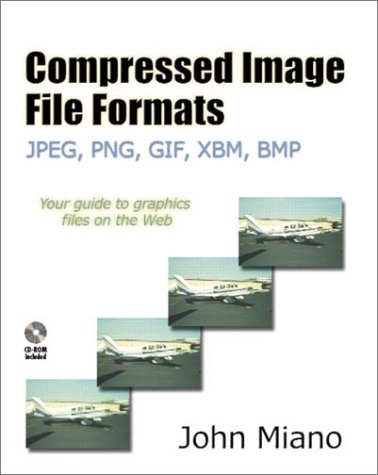
| Amazon.com Compressed Image File Formats is an appealingly compact and useful guide to some of today's most popular file formats used for image data. For any programmer who needs to know how images are stored, this concise reference can serve as a really invaluable resource. Besides full coverage of the popular BMP, GIF, and PNG file formats, the book zeroes in on the JPEG standard, perhaps today's most popular (and most complicated) image format. In a series of short chapters, the book looks at JPEG in detail, from basic file organization (its format and marker fields), file compression techniques (like Huffman coding and DCT), and how to decode (read) and encode (write) JPEG images. By condensing hundreds of pages of specifications and documentation from the voluminous JPEG standard into this short volume, the author has created a worthwhile summary of key JPEG features and compression techniques useful to any graphics programmer. The book also includes C++ code for a simple JPEG encoder (on the accompanying CD-ROM). This example can get you started compressing images using the JPEG format. In addition, the book discusses techniques for creating and decoding progressive JPEGs (used for downloading images in stages, in progressively finer resolutions, over the Internet). Whether you are a programmer faced with decoding or encoding image data, or an interested Webmaster who wants to know the pros and cons of today's image file formats, Compressed Image File Formats provides a worthwhile and concise reference to what's inside image files. --Richard Dragan Topics covered: bitmap basics, color models, Windows BMP file format, XBM file format, JPEG basics and file format, JPEG File Interchange Format (JFIF), JPEG Huffman Coding, data unit encoding, Discrete Cosine Transform (DCT), matrix operations, JPEG decoding and encoding, progressive JPEG, GIF file format and compression, and PNG file format. Book News, Inc. Shows graphics programmers how to write software that can read and write files using various 2-D image formats associated with Web browsers. Topics include compression technologies, color models, Huffman code generation, block ordering, the discrete cosine transform, and animated GIF. The CD-ROM contains source code and examples in C++. -- Copyright © 1999 Book News, Inc., Portland, OR All rights reserved Book News, Inc.®, Portland, OR Synopsis This comprehensive reference on the major graphics file formats and the compression technologies they employ is an indispensable resource for graphics programmers, especially those developing graphical applications for the Web. Compressed Image File Formats: JPEG, PNG, GIF, XBM, BMP examines the most common graphics file formats in detail and demonstrates how to encode and decode image files for each. In particular, this book offers in-depth coverage of the elaborate JPEG and newer PNG formats, providing clear explanations of complex concepts, experience-based practical techniques, and plentiful code examples. GIF, XBM, and BMP are also covered, with a focus on some of the less familiar and less well-documented features of these common file formats. Specific topics covered include: *Compression technologies that each file format utilizes *Color models employed by each file format *The advantages and disadvantages of each file format *Huffman Coding *LZW Compression *Deflate/Inflate *Progressive JPEG *The Discrete Cosine Transform *Animated GIF The accompanying CD-ROM contains the complete source code for all of the image formats covered in the book, as well as working examples and sample images. If you want to learn how to read and write graphic file formats for the Web--including PNG and JPEG files--there is no better resource than this book. System requirements: Windows 95 or Windows NT, Borland C++ Builder 3, or Microsoft Visual C++ 5.0. Book Info Examines the most common graphics file formats in detail and demonstrates how to encode and decode image files for each. Offers in-depth coverage of the elaborate JPEG and newer PNG formats, providing clear explanations of complex concepts, experience-based practical techniques, and code examples. Softcover. CD-ROM included. DLC: Image processing--Computer programs. From the Inside Flap The purpose of this book is to instruct the reader on how to write software that can read and write files using various 2-D image formats. I wanted to write a book that explains the most frequently used file formats with enough depth for the reader to implement them, as opposed to one that covered many different formats at a high level or one that avoided the more difficult image formats. As a result, I chose to cover the image file formats that are associated with Web browsers. Those covered in this book (BMP, XBM, JPEG, GIF, and PNG) represent the vast majority of image files that can be found on the Internet. They employ a wide range of encoding techniques and range in implementation difficulty from simple to very complex. The inspiration for this book was my own frustration resulting from the lack of information on how to implement encoders and decoders for the more complex file formats. Most of the information available was at too high a level, left major gaps, or was very difficult to decipher. I have tried to create a bridge between the programmer and the standards documents. One issue I faced at the start of this project was which programming language to use for the examples. The intention was to create a book on graphics file formats rather than one on how to write programs to read and write graphics files in a particular language. Therefore, I debated using a language that is easy to read (e.g., Pascal or Ada) or the one most people are likely to use (C++). In the end I felt that its widespread use made C++ the best choice. To make the examples more understandable for non-C++ programmers, I have carefully avoided certain C++ language constructs (e.g., expressions with side effects and integer/boolean interchangeability) that would make the code difficult for them to understand. In order to make the encoding and decoding processes as clear as possible, I have used a Pascal-like pseudo-code. C++ is used for complete function implementations and pseudo-code for illustrative fragments. These fragments generally contain no error checking. Because of their generally large size, it was not possible to include working source code for the formats in the book itself. Instead, the accompanying CD-ROM contains the complete source code for encoders and decoders for almost all of the image formats covered. The reader should use the pseudo-code in the text to learn how processes work and the C++ examples on the CD to see how to implement them. Generally, the decoders implement more features than the encoders. In the decoders I have implemented all of the features needed to decode files that a reader will have any likelihood of encountering on the Internet. For the sake of clarity, the encoders generally implement a smaller feature subset. In writing the programming examples I have given clarity precedence over execution efficiency and instant portability. The source examples will compile, without modifications, on Microsoft Windows using both Borland C++Builder V3.0 and Microsoft Visual C++ V5.0. Other compilers generally require some modifications to the code. The descriptions of the encoders and decoders for the various file formats frequently employ the term "user" to describe the source of certain input parameters to the encoding or decoding process. By this I mean the user of the encoder or decoder, not necessarily the person typing at the keyboard. Since image encoders and decoders are incorporated into other applications, such as image viewers and editors, the user in this case would most likely be another piece of software. However, in many situations the "user" application may get some of these parameters directly from a human. Just as this is not intended to be a book on C++ programming, it is also not intended to be a book on programming in a specific environment. For that information readers will need a book for their particular system. A project as large as producing a book requires the involvement of many people. Mike Bailey, Eric Haines, Tom Lane, Shawn Neely, and Glenn Randers-Pehrson reviewed the manuscript and provided many invaluable suggestions. Glenn also arranged for me to get the latest proposed PNG standards for the CD. My fellow aviator, Charlie Baumann, was kind enough to provide several of the photographs. Ralph Miano and Margaret Miano assisted with preparing the manuscript. Jean-Loup Gailley answered all my questions on ZLIB. Albert "The Chipster" Copper compiled examples on systems I did not have access to. Most important, Helen Goldstein at AWL guided the process from start to finish. John M. Miano Summit, New Jersey miano@colosseumbuilders From the Back Cover This comprehensive reference on the major graphics file formats and the compression technologies they employ is an indispensable resource for graphics programmers, especially those developing graphical applications for the Web. Compressed Image File Formats: JPEG, PNG, GIF, XBM, BMP examines the most common graphics file formats in detail and demonstrates how to encode and decode image files for each. In particular, this book offers in-depth coverage of the elaborate JPEG and newer PNG formats, providing clear explanations of complex concepts, experience-based practical techniques, and plentiful code examples. GIF, XBM, and BMP are also covered, with a focus on some of the less familiar and less well-documented features of these common file formats. Specific topics covered include: * Compression technologies that each file format utilizes * Color models employed by each file format * The advantages and disadvantages of each file format * Huffman Coding * LZW Compression * Deflate/Inflate * Progressive JPEG * The Discrete Cosine Transform * Animated GIF The accompanying CD-ROM contains the complete source code for all of the image formats covered in the book, as well as working examples and sample images. If you want to learn how to read and write graphic file formats for the Web--including PNG and JPEG files--there is no better resource than this book. System requirements: Windows 95 or Windows NT, Borland C++ Builder 3, or Microsoft Visual C++ 5.0. About the Author John Miano is Chief Engineer of Colosseum Builders, Inc., where he specializes in Web applications for the entertainment and broadcasting industries. He is the author of Borland C++ Builder How-To and has written articles on programming for various computer publications. He holds a bachelor's degree in mathematics from the College of Wooster. Excerpted from Compressed Image File Formats: JPEG, PNG, GIF, XBM, BMP (ACM Press) by John Miano. Copyright © 1999. Reprinted by permission. All rights reserved The purpose of this book is to instruct the reader on how to write software that can read and write files using various 2-D image formats. I wanted to write a book that explains the most frequently used file formats with enough depth for the reader to implement them, as opposed to one that covered many different formats at a high level or one that avoided the more difficult image formats. As a result, I chose to cover the image file formats that are associated with Web browsers. Those covered in this book (BMP, XBM, JPEG, GIF, and PNG) represent the vast majority of image files that can be found on the Internet. They employ a wide range of encoding techniques and range in implementation difficulty from simple to very complex. The inspiration for this book was my own frustration resulting from the lack of information on how to implement encoders and decoders for the more complex file formats. Most of the information available was at too high a level, left major gaps, or was very difficult to decipher. I have tried to create a bridge between the programmer and the standards documents. One issue I faced at the start of this project was which programming language to use for the examples. The intention was to create a book on graphics file formats rather than one on how to write programs to read and write graphics files in a particular language. Therefore, I debated using a language that is easy to read (e.g., Pascal or Ada) or the one most people are likely to use (C++). In the end I felt that its widespread use made C++ the best choice. To make the examples more understandable for non-C++ programmers, I have carefully avoided certain C++ language constructs (e.g., expressions with side effects and integer/boolean interchangeability) that would make the code difficult for them to understand. In order to make the encoding and decoding processes as clear as possible, I have used a Pascal-like pseudo-code. C++ is used for complete function implementations and pseudo-code for illustrative fragments. These fragments generally contain no error checking. Because of their generally large size, it was not possible to include working source code for the formats in the book itself. Instead, the accompanying CD-ROM contains the complete source code for encoders and decoders for almost all of the image formats covered. The reader should use the pseudo-code in the text to learn how processes work and the C++ examples on the CD to see how to implement them. Generally, the decoders implement more features than the encoders. In the decoders I have implemented all of the features needed to decode files that a reader will have any likelihood of encountering on the Internet. For the sake of clarity, the encoders generally implement a smaller feature subset. In writing the programming examples I have given clarity precedence over execution efficiency and instant portability. The source examples will compile, without modifications, on Microsoft Windows using both Borland C++Builder V3.0 and Microsoft Visual C++ V5.0. Other compilers generally require some modifications to the code. The descriptions of the encoders and decoders for the various file formats frequently employ the term "user" to describe the source of certain input parameters to the encoding or decoding process. By this I mean the user of the encoder or decoder, not necessarily the person typing at the keyboard. Since image encoders and decoders are incorporated into other applications, such as image viewers and editors, the user in this case would most likely be another piece of software. However, in many situations the "user" application may get some of these parameters directly from a human. Just as this is not intended to be a book on C++ programming, it is also not intended to be a book on programming in a specific environment. For that information readers will need a book for their particular system. A project as large as producing a book requires the involvement of many people. Mike Bailey, Eric Haines, Tom Lane, Shawn Neely, and Glenn Randers-Pehrson reviewed the manuscript and provided many invaluable suggestions. Glenn also arranged for me to get the latest proposed PNG standards for the CD. My fellow aviator, Charlie Baumann, was kind enough to provide several of the photographs. Ralph Miano and Margaret Miano assisted with preparing the manuscript. Jean-Loup Gailley answered all my questions on ZLIB. Albert "The Chipster" Copper compiled examples on systems I did not have access to. Most important, Helen Goldstein at AWL guided the process from start to finish. John M. Miano Summit, New Jersey |
|
|
||||||||||||||||||||||||||||||||||||||||||||||||||||
| Notes |
| Includes bibliographical references (p. 249-250). System requirements for accompanying computer disc: Windows 95 or Windows NT, Borland C++ Builder 3, or Microsoft Visual C++5.0. Presente de Aniversario da Elaide (2003) |